What Is an ATS?
ATS stands for Applicant Tracking System.
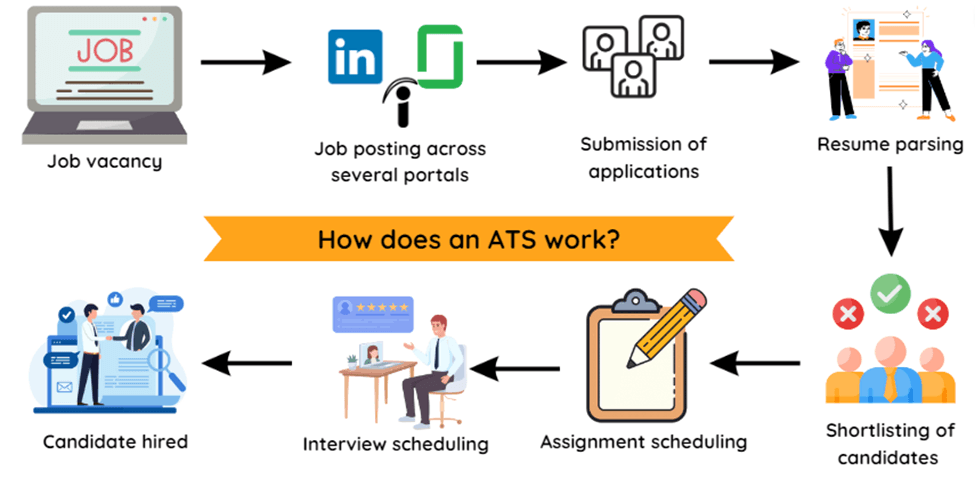
Companies use ATS software to collect and organize job applications. Depending on the system, it can extract information from your resume and make candidates searchable by skills, job titles, experience, and other criteria.
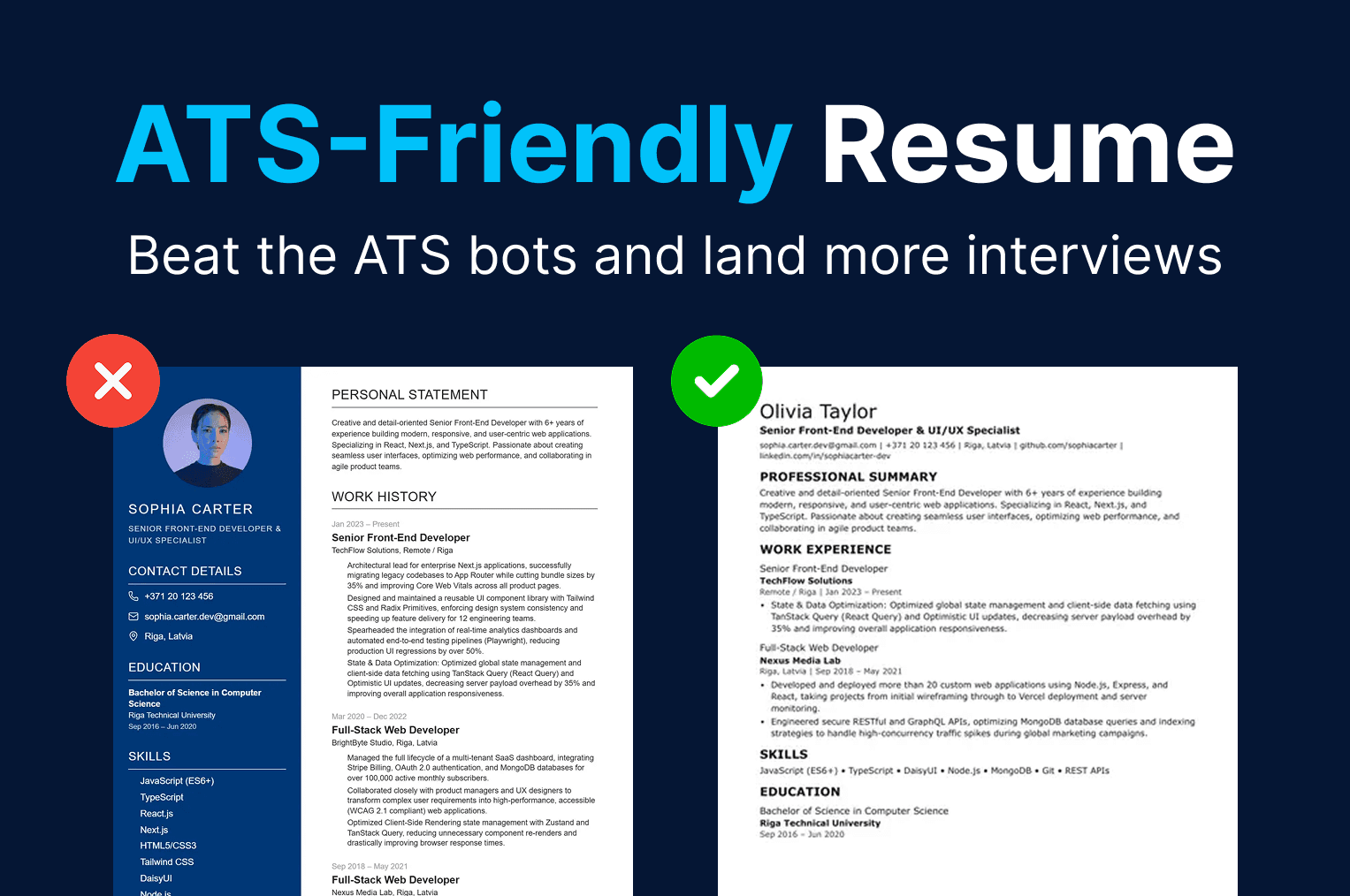
An ATS-friendly resume is simply a resume that's easy for this software to read and easy for a recruiter to scan.
What Makes a Resume ATS-Friendly?
There is no single format that works with every ATS. Different companies use different software, so it's better to focus on basic formatting and clear content.
Use Standard Resume Sections
Use familiar headings such as:
- Professional Summary
- Work Experience
- Education
- Skills
- Certifications
- Projects
Avoid unusual section names. A recruiter should immediately understand what each part of your resume contains.
Keep the Layout Simple
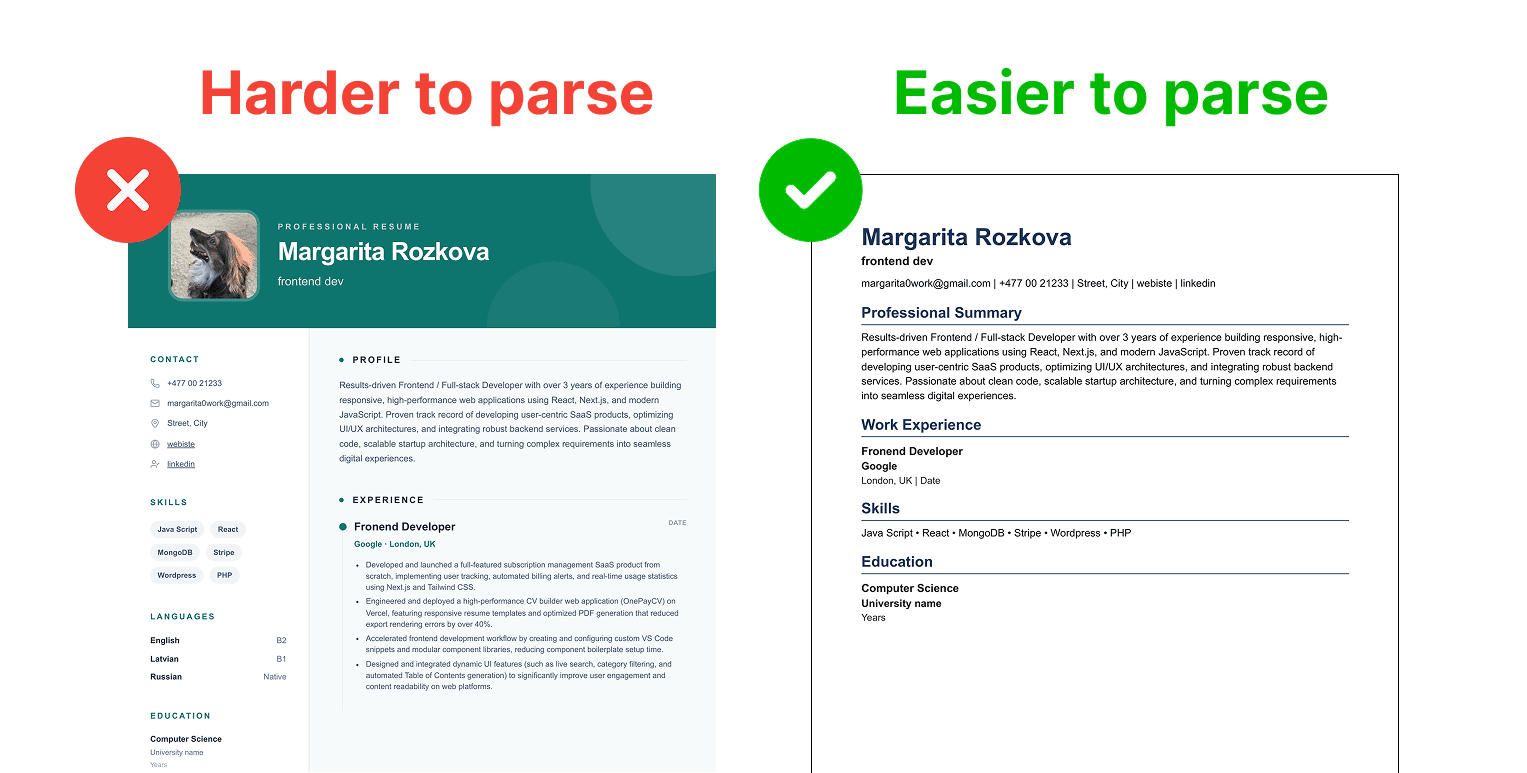
Complex layouts can make resume parsing less reliable. Tables, text boxes, graphics, and heavily designed multi-column layouts can cause information to be extracted in an unexpected order.
A simple structure is usually safer:
NAME
Job Title

CONTACT INFORMATION

PROFESSIONAL SUMMARY

WORK EXPERIENCE

Company Name
Job Title | 2024–Present
• Achievement
• Achievement

EDUCATION

University Name
Degree | 2024

SKILLS

React, JavaScript, TypeScript, Git
Your resume can still look professional. The important information should remain clear when the document is read as plain text.
Run a Quick Plain-Text Test
You can check how readable your resume is in under a minute:
- Open your final PDF or Word file.
- Select all the text and copy it.
- Paste it into a plain text editor such as Notepad or TextEdit.
- Check that the order makes sense and that nothing is missing or scrambled.
This isn't a perfect simulation of every ATS, but it quickly shows problems like jumbled columns or text that can't be selected.
Match Your Resume to the Job Description
One of the most useful things you can do is customize your resume for each position.
Look at the job description and identify the skills, tools, qualifications, and terminology the employer uses.
For example, if a job requires:
SEO, Google Analytics, content strategy, and WordPress
and you have experience with those skills, include them in the relevant parts of your resume.
Instead of:
Worked on website marketing.
write:
Managed SEO content and keyword research using Google Analytics and WordPress, increasing organic traffic by 38%.
Use keywords because they accurately describe your experience. Don't add skills you don't have just because they appear in the job description.
Don't Stuff Keywords Into Your Resume
Repeating a keyword many times doesn't make a resume better.
If you're applying for a frontend developer position, you don't need to write:
React, React, React, JavaScript, React, JavaScript, React.
Mention the technology where it naturally belongs:
Built responsive web applications using React and TypeScript.
Your resume should still make sense to the person reading it.
Focus on Achievements
Your resume should explain what you actually did.
Compare:
Responsible for social media marketing.
with:
Managed social media campaigns across Instagram and LinkedIn, increasing monthly engagement by 42%.
The second example gives the employer more useful information.
When possible, include measurable results such as revenue, traffic, users, time saved, conversion rates, or other relevant metrics.
Use Readable Fonts
Use a simple, readable font such as Arial, Calibri, Helvetica, Georgia, or Times New Roman.
Avoid decorative fonts for the main text.
The exact font is less important than making the resume easy to read at normal size.
Keep Important Information in the Main Document
Your contact information should be easy to find:
Sarah Johnson
Marketing Specialist
London, UK
sarah@email.com
+44 7000 000000
linkedin.com/in/sarahjohnson
Avoid putting important information inside images or decorative elements.
It's also safer to keep essential contact details in the main body of the document rather than relying on headers or footers.
Which File Format Should You Use?
Follow the employer's instructions.
If the application asks for a PDF, upload a PDF. If it asks for a Word document, use a Word document.
Before submitting your resume, open the final file and check that the text is selectable and that the layout hasn't changed.
Should You Use a Resume Template?
A template can save time and help you maintain consistent formatting.
For an ATS-friendly resume, choose a template with:
- Clear section headings
- Readable text
- Simple spacing
- A straightforward layout
Avoid templates where important information is presented only through graphics, icons, charts, or images.
The design should support your content rather than make it harder to read.
Common ATS Myths
"An ATS instantly rejects most resumes"
In many companies, the ATS mainly stores and organizes applications so recruiters can search and review them. Some employers do use screening questions or filters, so check that you meet the requirements listed in the job posting.
"Your resume has to look boring"
Simple doesn't mean ugly. Clean spacing, consistent fonts, and bold headings work well for both software and people.
"A PDF never works"
A text-based PDF is usually fine. The problem is a PDF made from a scanned image or screenshot, where the text can't be selected. When in doubt, follow the employer's instructions.
"More keywords means a better score"
Relevant keywords help, but stuffing them in makes your resume worse for the human who reads it next.
ATS-Friendly Resume Checklist
Before submitting your resume, go through this list and tick each item once it's done:
0 of 9 completed
Create Your ATS-Friendly Resume With OnePayCV
Creating a resume shouldn't require spending hours fixing margins and formatting.
With OnePayCV, you can choose a CV template, add your experience and skills, edit your resume, and export it as a PDF.
The content still matters most. Your resume needs to accurately represent your experience and match the position you're applying for.
Frequently Asked Questions
What does ATS-friendly mean?
An ATS-friendly resume is one that applicant tracking software can read correctly and a recruiter can scan quickly. In practice that means standard section headings, a simple layout, selectable text, and content that matches the job you're applying for.
Does an ATS automatically reject resumes?
Not simply because of how a resume looks. Many systems mainly store, organize, and let recruiters search applications. Some employers do add screening questions or filters, for example for work authorization or required qualifications, so make sure you meet the stated requirements and answer those questions honestly.
Is PDF or Word better for an ATS?
Follow the employer's instructions first. If nothing is specified, a text-based PDF is usually fine in modern systems, but some older ones handle Word documents more reliably. Avoid PDFs made from scanned images or screenshots, because the text can't be read.
Can I use a two-column resume?
You can, but a single column is the safer choice. Some parsers read columns in the wrong order and mix up your sections. If you use columns, run the plain-text test described above and check that everything still reads in the right order.
How many keywords should I include?
Include the keywords that honestly describe your experience and appear in the job description, and use each one where it naturally belongs. There's no magic number. Repeating a word many times doesn't help and makes the resume harder to read.
Are icons, graphics, and photos a problem?
Decorative elements are fine as long as nothing important depends on them. Don't put contact details, job titles, or skills inside images or icons, since software may not be able to read them.
How can I test if my resume is ATS-friendly?
Open your final file, select all the text, and paste it into a plain text editor. If the order is logical and nothing is missing or scrambled, the file is in good shape. You can also compare your resume against the job description and check that the key skills appear.
Do I need a different resume for every job?
You don't need to rewrite everything, but it helps to adjust the summary, skills, and top bullet points to match each role. Use the employer's terminology where it accurately describes your experience.
Final Thoughts
An ATS-friendly resume starts with clear content and simple formatting.
Use standard headings, tailor your resume to the job description, include relevant keywords naturally, and make your experience specific.
You don't need to manipulate an ATS. You need to create a resume that the software can parse and the recruiter can understand.
Written by
